Boss fights built on patterns, not health bars
Bosses such as the Ender Guardian, Netherite Monstrosity and Ignis rely on telegraphed attacks you learn over a few attempts. Winning is about reading the fight, and every victory feeds the next one.
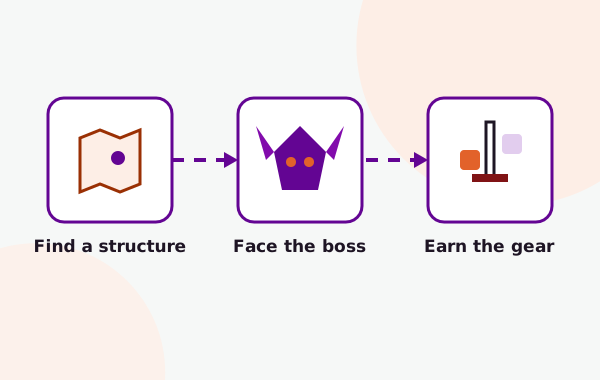
Cataclysm brings exciting new challenges to Minecraft’s late-game experience, introducing powerful bosses hidden within unique structures and rewarding players with exclusive gear unavailable elsewhere. Explore the mod’s features, supported Minecraft versions, compatibility, and installation process to get everything running smoothly.
Cataclysm, often listed as L_Ender's Cataclysm, is a Forge content mod for Minecraft Java Edition that trades volume for depth: a small number of big boss encounters, each with its own structure, attack patterns and rewards.
That gives modded survival a clear loop. You find a structure, learn and beat what lives inside, and turn the drops into equipment that prepares you for the next fight. It is the kind of mod people add when the vanilla endgame starts to feel thin.
Exact content changes between releases, so treat the names below as examples rather than a complete list for every version.
Bosses such as the Ender Guardian, Netherite Monstrosity and Ignis rely on telegraphed attacks you learn over a few attempts. Winning is about reading the fight, and every victory feeds the next one.
Every boss guards a generated structure, from a ruined citadel on the outer End islands to a pyramid in the desert.
Many weapons, tools and armor pieces come from boss materials, so progression follows the fights rather than a crafting grind.
Encounters are spread across the Overworld, the Nether and the End.
The download here is the project's GitHub source archive, useful for reading how something works or compiling the mod yourself. How to build it.
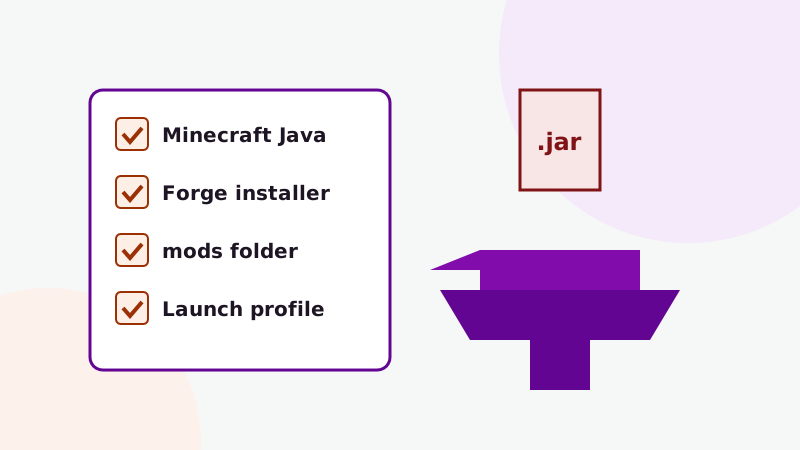
Four steps. Almost every problem people report comes from skipping the first one.
Pick the Minecraft version your mod file targets. The archive offered here comes from a branch named for 1.19.2.
Run the Forge installer for that same version and launch the new profile once to create the mods folder.
Place a compiled Cataclysm jar and any listed library mods in the mods folder. The source ZIP must be built first.
Explore new chunks or start a fresh world, gear up, and step into your first arena.
People search for Cataclysm on Fabric, Bedrock, PE and even Terraria. Here is what the supplied download actually supports.
Other Cataclysm releases can target different Minecraft versions or loaders. Always check the file you install.
Download NowCataclysm fits some playstyles far better than others.
If you have beaten the dragon and the Wither and wonder what comes next, the mod gives your world a sequence of harder goals with rewards that matter.
Boss fights make natural group events. Everyone simply needs the same mod version and dependencies.
A focused content mod gives adventure packs clear milestones without flooding the item list with hundreds of new entries.
The source archive lets you read the code, compile your own jar or check how a feature works before reporting a bug.
What the download link tells us, and what it does not.
The link follows the head of the master branch, so the archive reflects whatever the
repository contains when you download it. It has no fixed version or release date. After extracting, check
the project's build files (such as gradle.properties) or compare with the mod's official
listing.
Get the Cataclysm Mod source archive for Minecraft Java Edition, straight from its GitHub repository.
This downloads GitHub's archive of the lender544/cataclysm1.19.2modding
repository. It is source code, not a ready-to-load jar: compile it with Gradle (how to build
it) or use a compiled release that matches your Minecraft version. The file comes from GitHub, not
from this website.
The short version is below. The Forge installation guide has the full walkthrough with folder paths for every system.
Run the installer, choose Install client and start the new Forge profile once.
Use a compiled release for your version, or compile the source archive from the download section.
Install any library mods the release lists, in the versions it asks for.
On Windows that is %appdata%\.minecraft\mods. Other systems are listed in the guide.
Open Mods on the title screen and confirm Cataclysm is listed before loading a world.
Structures appear only in unexplored chunks, so travel somewhere new or start a fresh world.
Working from the GitHub ZIP? Building the mod from source explains how to produce the
jar in build/libs.
Practical walkthroughs for the questions players ask most.
The problems that come up most, and where to start. The crash fixes guide goes deeper.
| Symptom | Likely cause | What to do |
|---|---|---|
| Game stops with a missing dependency message | A required library mod is absent or the wrong version | Install the library Forge names, in the version range it asks for. |
| Cataclysm isn't in the Mods list | Wrong profile, wrong instance folder, or the source ZIP was copied instead of a jar | Launch the Forge profile and place a compiled jar in that instance's mods folder. |
| "Mismatched mod" when joining a server | Client and server run different versions | Match the server's exact Cataclysm and dependency files. |
| No structures anywhere | Exploring chunks generated before the mod was added | Travel into new terrain, check the Nether and End, or use /locate structure with
cheats. See the structures guide. |
| Gradle build fails | Wrong Java version or blocked dependency downloads | Use JDK 17 for the 1.19.2 source and run the build inside the extracted folder with internet access. |
| Frame rate drops in fights | High render distance, particles or shaders in a large pack | Lower render distance and particles, test without shaders, and avoid over-allocating memory. |
An honest look before you commit a world to it.
Twenty answers in two groups: the mod and its platforms, then installing and fixing it.
It is a content mod for Minecraft Java Edition, often listed as L_Ender's Cataclysm, that adds boss monsters, the structures they live in, and weapons and armor linked to defeating them. It runs on the Forge mod loader.
Yes. People shorten L_Ender's Cataclysm in different ways, so searches for Ender Cataclysm, L_Ender's Cataclysm and Cataclysm Mod generally refer to the same Minecraft mod.
The mod is credited to the developer known as L_Ender. The download link on this site points to a GitHub repository under the lender544 account. This website is an independent guide and is not run by the mod's author.
Widely documented bosses include the Ender Guardian, Netherite Monstrosity, Ignis, The Harbinger, The Leviathan and the Ancient Remnant. Later releases added more, so the exact roster depends on the version you install.
Each boss is tied to a generated structure, spread across the Overworld, the Nether and the End. Structures only generate in chunks that have not been explored before.
No. Cataclysm is Java code that loads through Forge, and Bedrock Edition (including mobile and console) cannot run Java mods. Bedrock add-ons with similar names are separate projects by other creators.
The supplied download is a Forge project and does not include a Fabric build. Forge mods do not load on Fabric, so the reliable approach is to play Cataclysm in a Forge instance.
No. This mod is for Minecraft only. Terraria has its own boss-focused mods, such as Calamity, whose similar-sounding name causes a lot of mixed-up searches.
Community-maintained wikis document the bosses, items and structures in detail. They are volunteer projects and may describe a newer version than yours. This site focuses on setup, compatibility and practical guides.
On Java Edition, "add-ons" usually means companion mods such as libraries, recipe viewers or compatibility patches. Check that any companion targets the same Minecraft and loader version as your Cataclysm file.
The linked repository is named for Minecraft 1.19.2, so the source it contains is set up for that version. For other Minecraft versions you need a release built for them.
The link is GitHub's automatic archive of the repository's master branch, which contains source code. Minecraft cannot load it directly. Compile it into a jar with Gradle, or use a compiled release that matches your version.
Install JDK 17, extract the archive, open a terminal in the folder and run gradlew build (gradlew.bat build on Windows). The jar appears in build/libs.
On Windows it is %appdata%\.minecraft\mods, on macOS ~/Library/Application Support/minecraft/mods and on Linux ~/.minecraft/mods. Launchers with separate instances give each instance its own mods folder.
Some releases list required library mods. Check the release page or the error Forge shows at startup, which names any missing dependency and the version it expects.
Yes, but back the world up first. New structures only appear in unexplored chunks, so you will need to travel into new terrain to find them.
Yes, as long as the server and every player have the same Cataclysm version and dependencies installed. It is not a server-only or client-only mod.
The most common causes are a Minecraft or Forge version mismatch, a missing dependency, duplicate jars, or the source ZIP placed in the mods folder. Read the first error in logs/latest.log.
The link points to a public GitHub repository archive, which is plain source code you can inspect. As with any download, only install files you trust, keep backups of your worlds and scan files with your security software.
No. The download button sends you to a source archive on GitHub. We do not re-upload, modify or repackage the mod.